
Introduction
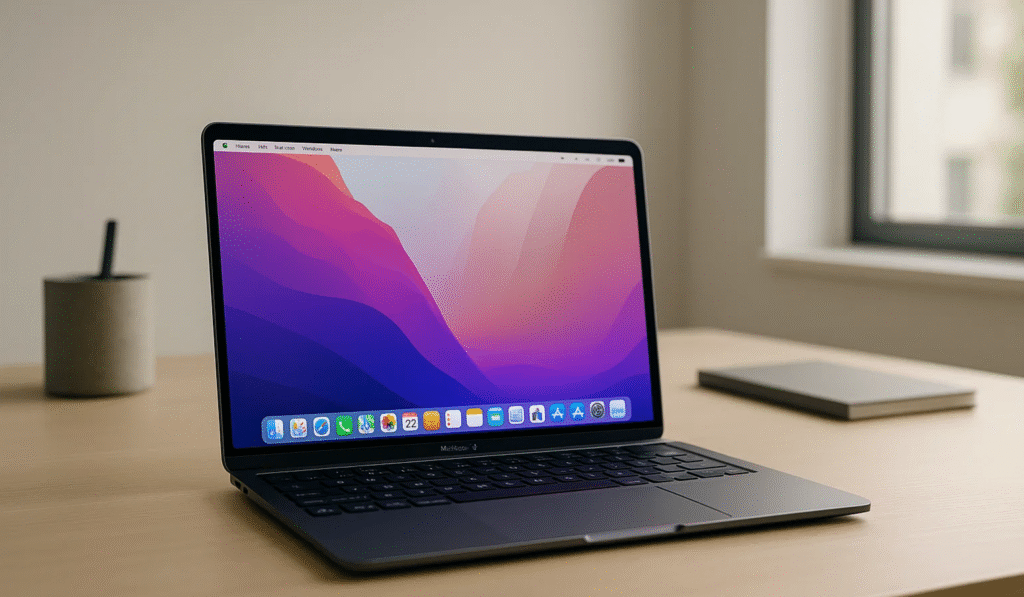
Apple has officially launched the MacBook Air M3, the latest refresh to its most popular laptop. With a promise of better performance, efficiency, and upgraded AI features, many are wondering: Is the MacBook Air M3 worth upgrading from the M1 or M2 models?
This review covers everything — from design and display to real-world performance, battery life, and pricing — so you can make the right buying decision.
1. Design & Build Quality
The MacBook Air M3 retains the ultra-slim design introduced with the M2.
Available in Midnight, Starlight, Silver, and Space Gray finishes.
Weighs just 1.24 kg, making it one of the lightest laptops for students, professionals, and travelers.
Verdict: If portability is your priority, this remains the gold standard.
2. Display & Visual Experience
13.6-inch Liquid Retina Display with 500 nits brightness.
P3 wide color and True Tone for realistic visuals.
Perfect for watching movies, designing, or editing photos.
Good for: Designers, coders, and casual users who want a crystal-clear display.
3. Performance with M3 Chip
The new M3 chip is built on a 3nm process, offering:
20–25% faster CPU performance vs M2.
30% faster GPU with hardware-accelerated ray tracing.
Better AI/ML processing for creative apps like Final Cut Pro & Logic Pro.
Real-world use:
Multitasking with Chrome, Photoshop, and Slack = buttery smooth.
Handles 4K video editing and light gaming effortlessly.
4. Battery Life
Up to 18 hours on a single charge.
Efficiency cores ensure better power management than M2.
Great for office, travel, or students attending online classes.
5. Storage & Pricing
Base model: 8GB Unified Memory, 256GB SSD.
Configurable up to 24GB RAM, 2TB SSD.
Price in India: Starting from ₹1,14,900.
6. Should You Upgrade?
From Intel MacBooks → Absolutely YES, the difference is night and day.
From M1 Air → Upgrade only if you need better GPU/AI performance.
From M2 Air → Not worth it unless you need the M3’s extra GPU power.
Pros & Cons
Pros:
Ultra-portable, premium design
Powerful M3 chip with AI features
Excellent display and battery life
Cons:
Expensive for students
Limited ports (still only 2x Thunderbolt + MagSafe)
Base storage could be higher
Buyer’s Guide – Who Should Buy MacBook Air M3?
✅ Students needing a lightweight, reliable laptop
✅ Professionals (coders, designers, writers)
✅ Creatives using video and photo editing apps
❌ Heavy gamers (better go with MacBook Pro or Windows gaming laptop)
FAQs
Q1: Can the MacBook Air M3 handle gaming?
Yes, it can run casual and some mid-range games smoothly, but it’s not a gaming laptop.
Q2: Is the MacBook Air M3 good for students?
Absolutely, especially for those in design, business, or programming courses.
Q3: How is the battery life compared to M2?
Almost the same (17–18 hours), but efficiency is slightly better.
Conclusion
The MacBook Air M3 is the perfect blend of power, portability, and premium design. If you’re using an Intel or M1 Mac, this is a significant upgrade. However, if you already own an M2, you can safely skip unless GPU/AI performance is critical for your work.
👉 Our Recommendation: The MacBook Air M3 is one of the best laptops in 2025 for professionals and students who want performance without bulk.